PC Desktop Recorder logo
Home News Updates FAQ Contact Login
PC Desktop Recorder interface preview

Feature highlights

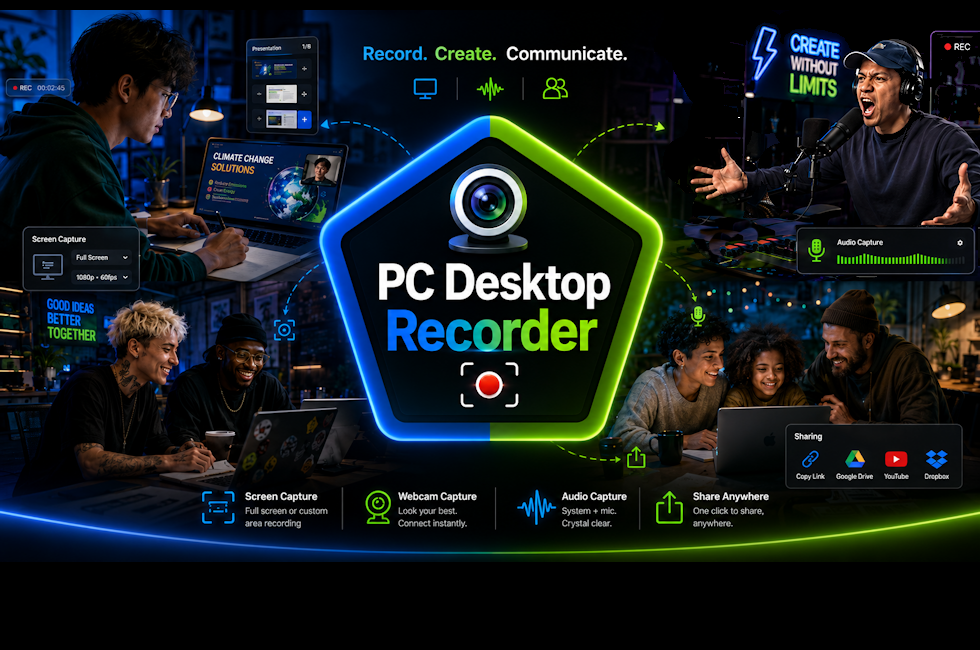
Record or Create, video & audio for tutorials, podcasts & gameplay easily!

PC Desktop Recorder keeps the recording workflow clear: choose the capture target, optional mic & webcam, and finish with clean MP4/MP3 output on your Windows PC.

Screen capture tools

  • Select a custom area, app window, or full display.
  • Add a webcam overlay for tutorials, demos, and walkthroughs.
  • Adjust the capture FPS and bitrate for output quality.

Audio capture

  • Record microphone audio, system sound, or both together.
  • Create audio-only MP3 recordings when video is not needed.
  • Use mic selection, refresh, test sound, and input indicator feedback.

Recording controls

  • Start, pause, stop, and open the output folder from the main screen.
  • Use hotkeys for faster recording control while working.
  • Set delay start, countdown, and auto-stop time for planned captures.

Output options

  • Save screen recordings as MP4 and audio recordings as MP3.
  • Choose common resolution options from 720p through 4K when supported.
  • Set a file prefix and keep your selected output folder remembered.

Minimum Specs

  • Windows 10 or Windows 11 64-bit PC.
  • Intel Core i5, AMD Ryzen 5, or similar processor.
  • 8 GB RAM and 2 GB free space for the app, plus room for recordings.
  • 720p display or higher for comfortable setup and recording control.
  • Windows dependencies: .NET 8 Windows Desktop Runtime x64, Microsoft Visual C++ Redistributable x64, and Windows Media Foundation / Media Features.

Recommended Specs

  • Windows 11 64-bit PC for the best current Windows experience.
  • Intel Core i7, AMD Ryzen 7, or better for higher-FPS recordings.
  • 16 GB RAM or more, with fast SSD/NVMe storage for large MP4 files.
  • 1080p or higher display; dedicated graphics recommended for 4K, webcam overlay, or gameplay recording.
  • Windows dependencies: .NET 8 Windows Desktop Runtime x64, Microsoft Visual C++ Redistributable x64, and Windows Media Foundation / Media Features.
1 Pick capture target
2 Check mic and sound
3 Set timer or hotkey
4 Record and save locally

Optional add-on

Build a producer-controlled podcast studio inside PC Desktop Recorder.

The Podcast Add-on adds a controlled host workspace for live-style productions: waiting queue, On Deck guests, selectable preview layouts, banner graphics, host-camera diagnostics, and production switching for one to four visible camera panels.

Production layout control

  • Choose 1, 2, 3, or 4 visible preview panels.
  • Focus one camera, then return to a multi-camera layout.
  • Keep unused approved guests On Deck instead of disconnecting them.

Queue and On Deck users

  • Move guests from Waiting Queue into an On Deck active pool.
  • Mute On Deck users before they are made visible.
  • Send users back to queue, drop them, or block if needed.

Podcast Extras setup

  • Configure Cam Server setup fields for the future remote-camera workflow.
  • Choose a custom header/banner graphic for the recorded layout.
  • Use diagnostics to watch host preview delay and frame rate.

Account-level add-on

  • Purchased add-on entitlement is checked server-side.
  • Unlocked Podcast features can apply across multiple licenses under the same account.
  • Inactive accounts see a purchase-required message inside the app.
1 Queue guests
2 Move On Deck
3 Assign camera panels
4 Record production locally

PC Web Systems Application

PC Desktop Recorder

Screen recording and audio capture for Windows PCs.

License

One-time desktop application purchase

Price: $39.99

3-Day Trial

Buy Now starts the secure one-product checkout flow for PC Desktop Recorder. The 3-Day Trial creates an account and issues a server-tracked trial license.

Publisher PC Web Systems LLC
Version 1.0.24
Published Date June 15, 2026
Update Publish Date July 7, 2026
Platform Windows
Languages English, French, German, Spanish, Chinese, Japanese, Thai, Korean
Outputs MP4 / MP3
Use Case Record desktop/screen, MP4 and MP3, podcasts, tutorials, demos, gameplay, support clips.
Status Square checkout enabled

Optional Add-on

Podcast Add-on

Producer-style podcast controls for PC Desktop Recorder.

Add-on

Account-level Podcast feature unlock

Price: $19.99

Podcast Add-on purchasing is temporarily disabled while final release setup is completed.

Publisher PC Web Systems LLC
Requires PC Desktop Recorder
Entitlement Account-level add-on
Status Square checkout enabled

© 2026 PC Web Systems LLC. All rights reserved.

Home
News
Updates
FAQ
Contact
Privacy
Terms
Cookie Notice

We use essential cookies to remember your site choices, including cookie acceptance and checkout visibility.